Migrating from Cookiebot: Step-by-Step Guide for Agencies
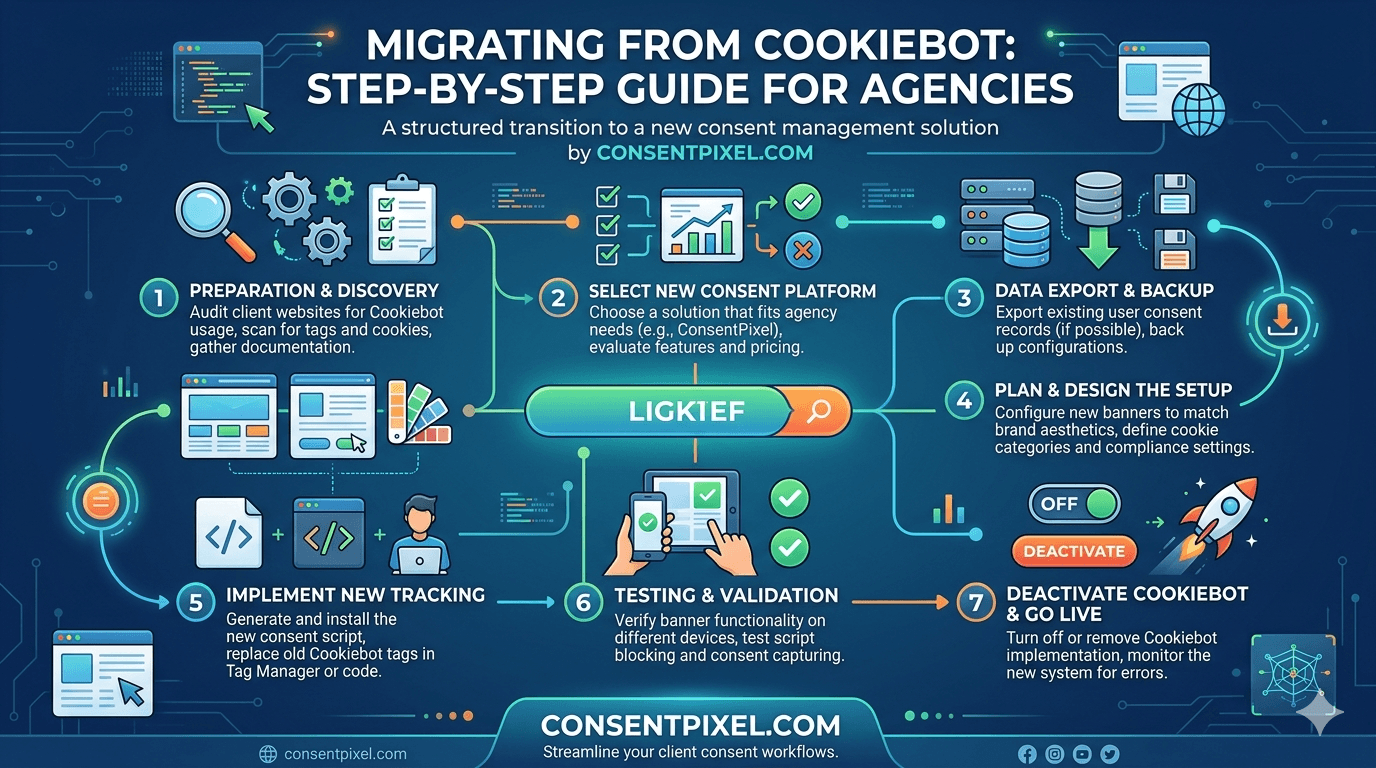
A repeatable playbook for moving a portfolio of client sites off Cookiebot — without losing consent records, breaking tags, or burning a weekend per site. Plus how to turn the migration itself into a billable service line.
In this article
- Why agencies are leaving Cookiebot
- Before you start: the prep checklist
- The 6-step migration sequence
- Step 1 — Audit the current setup
- Step 2 — Export consent records
- Step 3 — Map categories & scripts
- Step 4 — Swap the script
- Step 5 — Verify & QA
- Step 6 — Decommission Cookiebot
- Turning migration into a service line
- Frequently asked questions
If you manage compliance across a portfolio of client sites, you've probably felt the Cookiebot squeeze. The platform is technically capable and widely deployed, but its 2026 economics and operational model have pushed a lot of agencies to re-evaluate. The problem isn't usually the banner — it's the bill, the unpredictability, and the per-domain math that gets worse every time a client's site grows.
This guide is the practical version: a repeatable, six-step sequence you can run on one client site or fifty, what to export before you touch anything, how to avoid the classic mistakes (lost consent logs, miscategorized tags, double-firing banners), and how to package the whole thing as a service your clients will happily pay for. If you'd rather hand the migration off entirely, there's a free-migration option at the end.
Why agencies are leaving Cookiebot
It helps to be clear-eyed about this, because "the tool is bad" isn't the real story — plenty of single-site businesses are perfectly happy on Cookiebot. The friction is specifically an agency and multi-domain problem, and it comes down to a few structural issues:
- Pricing scales with subpages, not value. Cookiebot's plans are determined by the number of subpages per domain, not by traffic. A content-heavy client site can land in a higher tier than a high-traffic one with few pages — and as a client's blog or product catalog grows, the bill climbs without anyone changing anything.
- The August 2025 pricing change hit multi-domain users hardest. Base pricing roughly doubled, the entry-level Small plan was restricted, and several users reported being auto-upgraded mid-subscription based on detected subpage counts. For an agency running dozens of client domains, linear per-domain costs with no bundled savings add up fast.
- Scans run on a monthly cycle by default. New trackers a client adds mid-month can go uncategorized until the next scan, which is a real exposure window for a compliance product.
- Support is email-only on standard tiers. When you're managing client SLAs, slow turnaround on a banner issue becomes your problem, not the vendor's.
None of this makes Cookiebot a bad CMP in the abstract. It makes it a poor fit for the agency model specifically — and that's exactly the gap that makes migration worth doing properly.
When you pitch a migration to a client, lead with their situation, not vendor-bashing. "Your Cookiebot bill scales with your page count and you're about to add 400 product pages" is a concrete, honest reason. It also positions you as the advisor watching their costs — which is the relationship you want.
Before you start: the prep checklist
Migration goes wrong in the preparation, not the execution. Before you touch a single client site, get these in place:
- Admin access to each Cookiebot account (or the client's, with permission) — you'll need it to export consent logs and retrieve the current configuration.
- A list of every domain and subdomain in scope. Cookiebot treats subdomains as separate, so a client may have more "sites" than they think.
- Access to where the banner script lives — GTM container, WordPress header, theme file, or hardcoded markup. This varies per client and determines your swap method.
- A staging or develop environment for at least the first site, so you can validate your template before going near production.
- Client sign-off on the switch window. Even a clean migration has a brief cutover; agree on timing so no one panics when the banner looks different.
The 6-step migration sequence
The whole point of a playbook is that it's identical every time. Build it once on your first client, and every subsequent migration becomes a checklist you can delegate. Here's the sequence at a glance, then each step in detail.
1Audit the current setup
Document what's actually running before you change anything. For each client site, capture: the Cookiebot Domain Group ID, the cookie categories in use (Necessary, Preferences, Statistics, Marketing), which scripts and tags are assigned to each category, the languages configured, and whether Google Consent Mode v2 and IAB TCF 2.3 are enabled. Screenshot the banner in its current state, too — clients notice cosmetic changes, and a before/after record heads off "it used to look different" tickets.
This audit is also where you catch the things that were quietly wrong on Cookiebot — strictly-necessary miscategorizations, tags firing before consent, or trackers the monthly scan never caught. Migration is a chance to fix them, not carry them over.
2Export consent records
This is the step you cannot skip or do out of order. Under GDPR and CCPA, consent records are evidence — if a regulator or plaintiff asks you to prove a given user consented, you need the log. Cookiebot stores consent logs and supports CSV export from the dashboard. Export the full consent history for every domain before you decommission anything.
Store these exports somewhere durable and access-controlled (the client's records system, or your agency's compliance archive). Note the date range each export covers so there's a clean handoff between the Cookiebot-era records and the records your new CMP starts generating. Continuity of the consent trail is the single most important compliance detail in the whole migration.
Cancelling a Cookiebot subscription can mean losing dashboard access to historical consent logs. Export first, verify the CSV opens and contains real records, store it safely — then proceed. Treat "exports confirmed" as a hard gate before any later step.
3Map categories & scripts
Now translate the audit into your new configuration. Map each Cookiebot category to its equivalent in the new CMP, and assign every script and tag to the correct category. This is where genuine compliance is won or lost: a marketing pixel mislabeled as "necessary" will fire before consent, which is exactly the kind of pre-consent interception that drives CIPA and GDPR exposure.
If the client uses Google Consent Mode v2, make sure your mapping preserves accurate ad_storage and ad_personalization signaling — especially important after Google's June 2026 change that made the consent signal the sole authority over ad data. If they're on IAB TCF for display advertising, confirm the new setup carries TCF 2.3 support across.
4Swap the script
With mapping done, replace the Cookiebot script with the new one. The method depends on how the original was installed:
| Where Cookiebot lives | How to swap it |
|---|---|
| Google Tag Manager | Pause/remove the Cookiebot template tag, add the new CMP tag, republish the container. |
| WordPress header | Remove the Cookiebot snippet (plugin or header insert), add the new single-line script. |
| Hardcoded in theme/markup | Locate the Cookiebot <script> in the document head, replace with the new pixel. |
| Tag manager + hardcoded mix | Audit both locations — duplicate banners almost always trace back to a script left in two places. |
The single most common swap mistake is leaving the old script behind in one location while adding the new one in another, which produces two banners or a race condition. Remove before you add, and grep the whole site for the old domain group ID to be sure nothing lingers.
5Verify & QA
Never skip this step — it's where you prove the migration actually worked rather than just looking like it did. Run this checklist on every site:
- No tracker fires before consent. Open the browser dev tools network tab on a fresh session and confirm non-essential scripts stay silent until the visitor chooses. This is the whole ballgame for CIPA.
- Accept works. Granting consent releases the right scripts and writes a consent record.
- Decline works. Declining keeps non-essential trackers blocked — test this path explicitly, not just accept.
- Consent Mode signals fire correctly. Verify
ad_storageflips to granted only on consent. - The old banner is fully gone. No duplicate, no flash of the Cookiebot banner on load.
- Geographic logic holds. If the client serves both EU and US traffic, confirm opt-in vs opt-out behavior by region.
6Decommission Cookiebot
Only after exports are safely stored and QA passes on production do you wind down the Cookiebot subscription. Confirm the consent logs are archived, cancel the plan (mind the renewal date to avoid an unwanted charge), and remove any leftover Cookiebot plugin or account integration from the client's stack. Document the completed migration in your client record — date, domains migrated, where the historical consent logs live — so the next person who touches the account has the full picture.
Don't want to run this on every client site yourself?
We'll migrate your client portfolio off Cookiebot for you — audit, consent-record export, category mapping, script swap, and full QA on every site. Free, white-label-friendly, and done by people who do this all day.
No charge for the migration · Your consent records preserved · You keep the client relationship
Turning migration into a service line
Here's the part most agencies miss: the migration itself is billable, and the ongoing compliance management is recurring revenue. You don't have to treat this as an internal cost.
A few ways agencies package it: a one-time compliance migration project (audit + migrate + QA across the client's domains, scoped as a fixed-fee engagement); a monthly compliance retainer that covers banner upkeep, new-tracker categorization, and consent-record custody; and a white-label CMP offering where the consent layer carries your agency's branding across the whole client base. The migration is the on-ramp; the retainer is the business.
The economics work in your favor here. A CMP with predictable, agency-friendly pricing and white-label support means your margin isn't eaten by per-domain license creep — the exact problem driving the Cookiebot exodus. You capture the value instead of passing it to the vendor.
Frame the retainer around risk, not features. "We keep your consent banner blocking trackers before consent and maintain your audit-ready records" is worth more to a client than "we manage your cookie settings." After the 2026 CIPA litigation wave, compliance custody is an easy retainer to justify.
The bottom line
Migrating a client off Cookiebot isn't hard — it's a six-step sequence: audit, export consent, map categories, swap the script, verify, decommission. The only step you can never skip is exporting consent records before you cancel, and the only step you never rush is QA. Build the playbook once, and every subsequent migration becomes a delegable checklist you can run in about half an hour per site. Better still, package it as a migration project plus a compliance retainer, and the thing that started as a cost-saving move for your client becomes a revenue line for your agency. And if you'd rather not run it yourself, hand it to us.
Frequently asked questions
Will I lose consent records when I migrate from Cookiebot?
Not if you export first. Cookiebot stores consent logs and supports CSV export from the dashboard. Export the full consent history for every domain and verify the files before you cancel anything — cancelling can remove dashboard access to historical logs. Preserving the consent trail is the single most important compliance step in the migration.
How long does a Cookiebot migration take?
Once you've built your agency template, roughly 30 minutes per site for a standard setup — most of it in QA. The first site takes longer because you're establishing the repeatable process. Complex multi-domain clients with TCF and heavy tag setups take more, but the per-site time drops sharply after the first one.
Why are agencies specifically leaving Cookiebot?
It's a multi-domain economics problem more than a quality problem. Cookiebot prices by subpage count per domain rather than traffic, costs scale linearly across client domains with no bundled savings, and an August 2025 pricing change roughly doubled base pricing and restricted the entry plan. For agencies running many client sites, that model gets expensive and unpredictable.
Will migrating break my client's Google Consent Mode or TCF setup?
Not if you map them during migration. Confirm the new CMP supports Google Consent Mode v2 and IAB TCF 2.3, then preserve accurate ad_storage and ad_personalization signaling and re-establish TCF support during the category-mapping step. Verify both in QA before decommissioning Cookiebot.
Can I offer Cookiebot migration as a paid service to clients?
Yes, and many agencies do. Common models are a fixed-fee migration project (audit, migrate, QA across domains), a monthly compliance retainer covering banner upkeep and consent-record custody, and a white-label CMP offering branded to your agency. The migration is the on-ramp; the recurring compliance management is the durable revenue.
Do you offer help with the migration?
Yes — ConsentPixel offers a free migration service for agencies moving client portfolios off Cookiebot, covering audit, consent-record export, category mapping, script swap, and QA on every site. It's white-label-friendly and you keep the client relationship. Reach out through the contact link to get started.