GDPR Cookie Consent Requirements 2026 — What Your Banner Must Actually Include
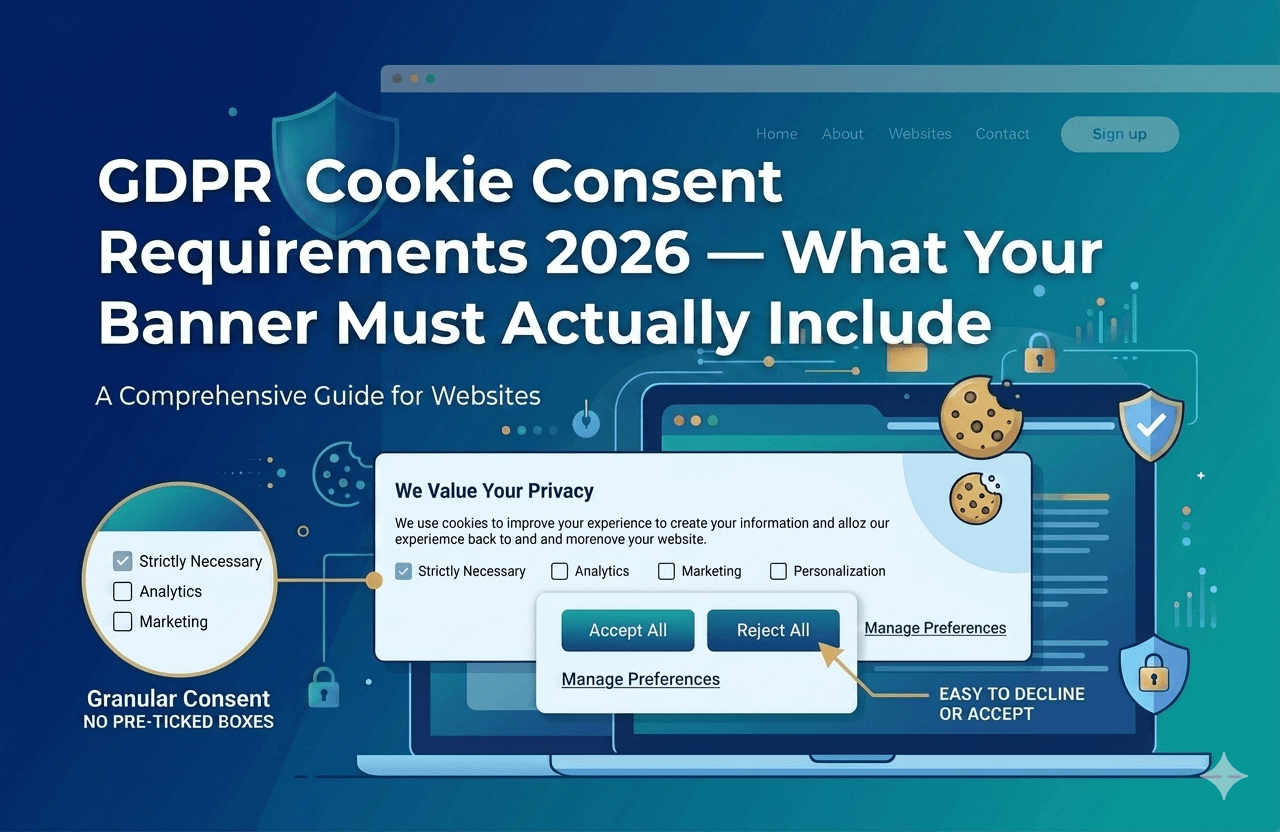
Most websites have a cookie banner. Very few have one that actually meets GDPR's consent requirements. The gap between a banner that looks compliant and one that is compliant has become the primary basis for DPA enforcement actions across Europe in 2025 and 2026. This is the complete list of what your banner must do — and what it must never do.
- What GDPR Actually Says About Consent
- The Five Requirements for Valid Cookie Consent
- What Your Banner Must Include — First Layer
- The Second Layer — Preferences Panel Requirements
- Dark Patterns GDPR Prohibits — With Specific Examples
- Where DPAs Are Actively Enforcing in 2026
- The Technical Requirements Beyond the UI
- Complete GDPR Cookie Consent Checklist
- Frequently Asked Questions
GDPR has been in force since 2018. Yet European Data Protection Authorities continue to issue significant fines for non-compliant cookie consent — not because organisations are ignoring the law entirely, but because they have implemented banners that look compliant while systematically violating the specific requirements that Article 7 and Recital 32 actually impose.
The gap is usually not ignorance. It is misunderstanding. A banner that says "we use cookies" is not consent. A banner with a prominent Accept button and a buried reject option is not freely given consent. A banner that lets analytics scripts fire before the visitor clicks anything is not prior consent. All three of these configurations are common — and all three have been the basis for enforcement actions in 2025 and 2026.
This guide is the complete specification of what GDPR actually requires from a cookie consent mechanism — from the legal basis through to the technical implementation details regulators are now checking.
What GDPR Actually Says About Consent
GDPR establishes consent as one of six lawful bases for processing personal data under Article 6. For cookie-based processing — analytics, advertising, personalisation — consent is almost always the only viable lawful basis, because legitimate interest is explicitly insufficient for advertising-related tracking under the guidance of multiple European DPAs.
Article 4(11) defines consent as "any freely given, specific, informed and unambiguous indication of the data subject's wishes by which he or she, by a statement or by a clear affirmative action, signifies agreement to the processing of personal data relating to him or her."
Article 7 sets out the conditions for consent. Recital 32 provides the practical context: silence, pre-ticked boxes, and inactivity do not constitute consent. Article 7(3) establishes the withdrawal right — consent must be withdrawable at any time, and withdrawal must be as easy as giving consent.
The Five Requirements for Valid Cookie Consent
GDPR's consent definition contains five distinct requirements. All five must be met simultaneously. Meeting four out of five does not constitute valid consent — any single failure invalidates the entire consent.
Freely Given
Consent is not freely given if refusing is harder than accepting, if consent is bundled with service access (cookie walls are generally prohibited), if there is an imbalance of power between the organisation and the individual, or if declining results in any disadvantage. The key practical implication: Reject All must be available with the same prominence and the same number of clicks as Accept All.
Article 7 + Recital 42, 43Specific
Consent must be specific to each purpose of processing. A single "accept all cookies" toggle that covers analytics, advertising, personalisation, and social media tracking in one click is not specific consent — each purpose category requires its own separate consent signal. This is what makes granular category toggles a requirement, not an optional nicety.
Article 6(1)(a) + Recital 32Informed
The data subject must understand what they are consenting to before consenting. This means the first layer of your banner must describe — in plain, accessible language — what categories of cookies exist, what purposes they serve, and that third parties receive the data. Legal jargon, technical terms without explanation, and buried disclosures that require clicking through to a privacy policy before the visitor has seen the banner all fail the informed requirement.
Article 13 + Recital 60Unambiguous
Consent requires a clear affirmative action. Pre-ticked boxes, implied consent from continued browsing ("By using this site you agree..."), scrolling as consent, and inactivity are all explicitly invalid under Recital 32. The visitor must take a deliberate, active step to indicate agreement. Clicking Accept counts. Not closing a banner does not.
Recital 32 + Article 7Revocable
The data subject must be able to withdraw consent at any time, and withdrawal must be as easy as giving consent. Article 7(3) states this explicitly. In practice: a persistent "Cookie Settings" or "Manage Consent" link must appear on every page of the website — not buried in your privacy policy, not requiring a cookie clear, not requiring contact with your team. One click to open the preferences panel from anywhere on the site.
Article 7(3)What Your Banner Must Include — First Layer
The first layer is the initial banner that visitors see before interacting with your site. It must do a specific job: present the consent choice in a way that satisfies all five requirements above without requiring the visitor to navigate deeper to find the information they need to make an informed decision.
Non-negotiable first-layer elements
- Clear description of cookie categories — at least the categories used (e.g. Strictly Necessary, Analytics, Marketing), written in plain language, not technical jargon. The visitor must understand what they are consenting to before clicking.
- Accept All button — accepting all non-essential cookies in one click is the standard user expectation and must be available.
- Reject All button — at the same level as Accept All — this is the most commonly violated requirement. If Accept All is on the first layer, Reject All must also be on the first layer with equivalent visual prominence. Multiple DPA enforcement actions since 2022 have been based solely on this requirement.
- Link to preferences / manage cookies — access to granular category toggles for visitors who want to accept some but not all categories.
- Link to your privacy policy or cookie policy — for visitors who want the full detail before deciding.
- Statement that non-essential cookies are used and why — visitors must understand that their browsing data may be shared with third parties for analytics or advertising purposes.
The Second Layer — Preferences Panel Requirements
The preferences panel — the detailed view where visitors can accept or decline cookies by category — is the second layer. Visitors who click "Manage Preferences" or "Cookie Settings" on the first layer arrive here. It must meet its own set of requirements.
- Granular toggles per purpose category — separate on/off switches for each consent category (Analytics, Marketing, Personalisation, etc.). A single toggle for "all non-essential cookies" is insufficient — it must be possible to accept analytics without accepting marketing, for example.
- Strictly Necessary category clearly labelled and non-toggleable — essential cookies must be disclosed but cannot be declined. The UI should make clear why they cannot be turned off.
- Default state of all non-essential toggles must be OFF — pre-ticked or pre-enabled toggles for non-essential categories are explicitly prohibited. Every non-essential category must default to disabled and only be enabled by an active visitor action.
- Equal prominence for Accept All and Reject All — the same visual prominence requirement applies at the preferences panel level. If Accept All is a large coloured button, Reject All must also be a large coloured button of equivalent visual weight.
- List of specific cookies or at least specific vendors — the EDPB recommends and several DPAs require that the second layer lists the specific cookies used in each category, or at minimum the categories of third-party vendors who receive data.
- Save / Confirm selection button — visitors who configure granular choices must be able to save their specific selection, not just choose between all-or-nothing.
Dark Patterns GDPR Prohibits — With Specific Examples
In 2022, the EDPB published its Guidelines 03/2022 on dark patterns in social media platforms, which has since been extended as a general framework for consent interface design. Multiple DPAs have fined organisations specifically for dark patterns in cookie banners. Here are the prohibited patterns with concrete examples of how they manifest.
Interface interference — colour and size asymmetry
Accept All in a bright teal button; Reject All or Manage Preferences in grey text, smaller font, or lower visual hierarchy. Both options must have equivalent visual weight.
Click asymmetry — more clicks to decline
Accept in one click from the first layer; decline requires Manage Preferences → toggle off each category → Save. Declining must require no more steps than accepting.
Misleading language and double negatives
"I do not want to be excluded from personalised advertising" as the label for a consent toggle. Language must unambiguously indicate what consenting or declining means.
Bundled consent
A single "accept all cookies to access the full site" gate where analytics, advertising, and personalisation are bundled together with no ability to consent selectively.
False urgency and countdown timers
Countdown timers ("Your choice expires in 10 seconds"), urgency language, or automatic acceptance if no action is taken within a time window. All invalid under the unambiguous requirement.
Consent fatigue — repeated re-prompting
Showing the consent banner again on the next visit after a visitor has already declined, or after any navigation event. Once a visitor has made a choice, honour it until consent naturally expires or the declaration materially changes.
Implied benefit for accepting
Language that implies accepting provides a better experience — "Accept for a personalised experience" — when the alternative simply provides the standard experience. This creates implicit coercion.
Hiding the decline option
Placing Reject All only in the cookie policy document, or making it accessible only via a privacy settings page buried in the footer, while Accept All is on every page. Decline must be available wherever Accept is available.
Where DPAs Are Actively Enforcing in 2026
Cookie consent enforcement has increased significantly across Europe since 2023. These are the most relevant enforcement actions that directly inform what your banner must do in 2026.
| DPA / Case | Violation | Fine | Practical implication |
|---|---|---|---|
| French CNIL — Multiple actions 2024–25 | No Reject All at first layer; accepting required fewer clicks than declining | €125,000–€3M per action | Reject All must be on the first layer with equal visual prominence to Accept All |
| Spanish AEPD — 2024 | Analytics cookies firing before consent interaction; pre-ticked marketing categories | €200,000 | Technical script blocking required — banners without blocking are non-compliant regardless of UI design |
| German DSK / LfDI — 2025 | Consent obtained through dark patterns — colour asymmetry between Accept and Decline | €400,000 | Visual design of consent interface is now actively reviewed — not just legal text |
| Italian Garante — 2024–25 | Cookie wall with no genuine alternative; continued tracking after opt-out | €1M–€5M range | Opt-out must technically stop tracking — not just record a preference without effect |
| Irish DPC — 2024 | No consent log — could not demonstrate consent was obtained for data transferred to third parties | €310,000 | GDPR accountability principle requires proof of consent — logging is mandatory, not optional |
| Belgian APD — 2025 | Consent re-prompted on every visit to users who had already declined | €250,000 | Declined consent must be stored and respected — banner must not re-appear on subsequent visits |
Does your banner pass all six of these enforcement tests?
ConsentPixel — Privacy · Verified deploys a consent banner that meets every GDPR requirement — technically and visually — with script blocking, consent logging, and dark-pattern-free design built in.
The Technical Requirements Beyond the UI
GDPR compliance is not just about how your banner looks — it is about what your website technically does in response to a visitor's consent decision. The UI requirements above are necessary but not sufficient. These are the technical requirements that the enforcement actions above make clear are being checked.
1. Prior consent — scripts must not fire before consent is given
The most fundamental technical requirement. Non-essential cookies and tracking scripts — Google Analytics, Meta Pixel, advertising tags, session-replay tools — must not execute until a visitor has actively consented to the relevant category. This requires actual script blocking at the JavaScript level, not a banner overlay that loads after the scripts have already fired.
In practice: a visitor arriving at your page for the first time, in incognito, with no prior consent state, must not generate any non-essential cookie or third-party tracking request before they have interacted with the banner. Test this by opening DevTools → Network tab in incognito and loading your homepage. If Google Analytics or any other tracker appears in the network waterfall before the banner is dismissed, your implementation is non-compliant.
2. Consent must be stored and honoured on subsequent visits
Consent is not a per-session event. When a visitor makes a choice — accept or decline — that choice must be stored and applied on all future visits until the consent naturally expires (12 months is the widely adopted standard), the cookie declaration materially changes, or the visitor actively changes their preference. Re-prompting a visitor who has already declined on every subsequent visit, or loading trackers on a visitor who previously declined, are both compliance failures confirmed in enforcement decisions.
3. Consent must be logged with a timestamp
GDPR's accountability principle (Article 5(2)) requires that you be able to demonstrate compliance. For consent, this means maintaining a record of when each visitor consented, what version of the consent notice they were shown, and what they agreed to. This log must be produceable in the event of a DPA investigation. The Irish DPC's 2024 fine was partly based on inability to demonstrate that valid consent had been obtained for third-party data transfers.
4. Withdrawal must be technically effective
When a visitor withdraws consent through the Manage Consent preferences panel, the processing must actually stop. This means the relevant third-party scripts must be blocked from firing on subsequent page loads, and any applicable opt-out signals (including GPC browser signals in US state law contexts) must be acted upon immediately. A withdrawal mechanism that records a preference in a database but does not actually suppress script execution is not a functioning withdrawal mechanism.
What compliant versus non-compliant looks like in practice
Complete GDPR Cookie Consent Checklist 2026
Frequently Asked Questions
GDPR consent is a technical and design problem, not just a legal one
The pattern in every enforcement action above is the same: the organisation had a banner, but it did not meet the specific technical and design requirements that make consent legally valid. Scripts fired before consent. Rejection was harder than acceptance. Consent was not logged. Dark patterns tilted the interface toward acceptance.
ConsentPixel — Privacy · Verified is built to meet every GDPR cookie consent requirement out of the box — technically blocking scripts before consent, deploying a dark-pattern-free interface where Reject All matches Accept All, logging every consent event with a timestamp, and maintaining a persistent withdrawal mechanism on every page.
Start Free 14-Day Trial — Compliant From Day One