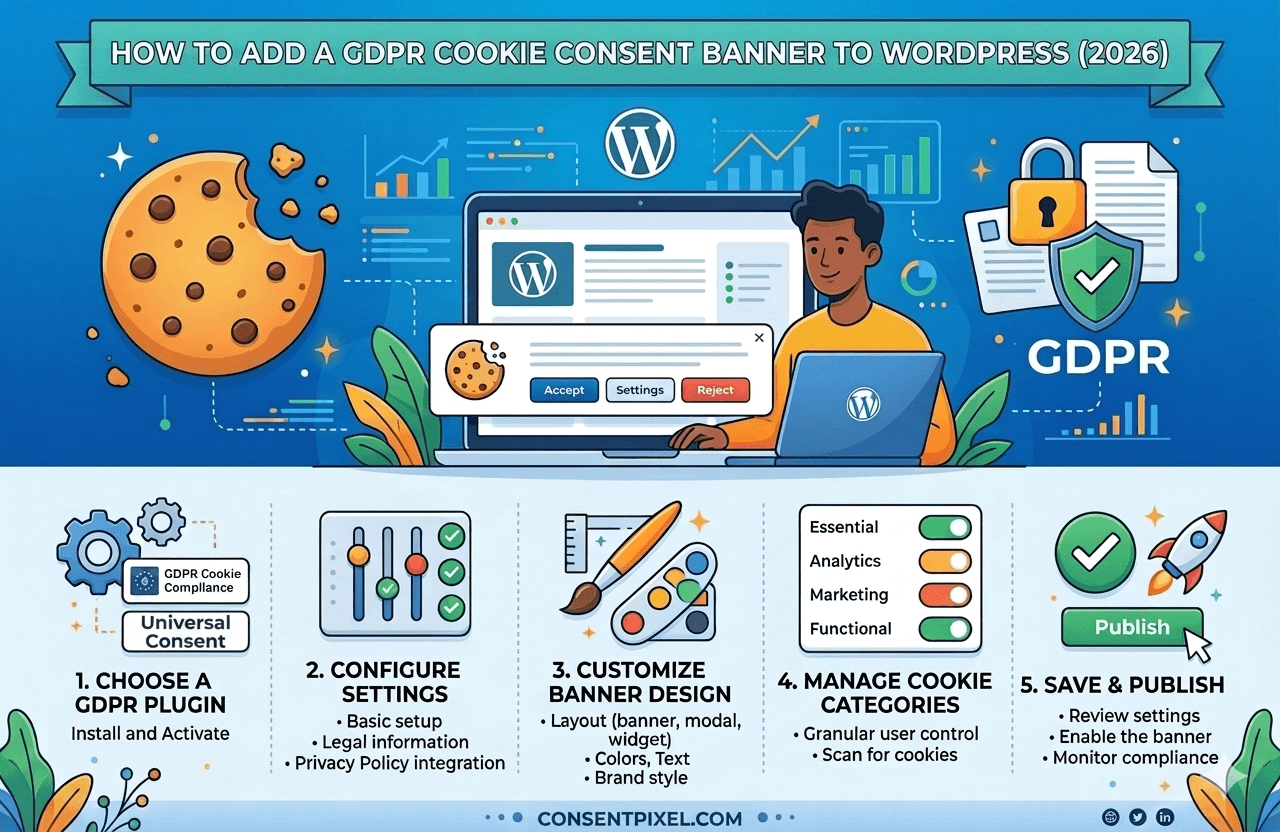
WordPress powers roughly 43% of all websites on the internet — which means hundreds of millions of sites need a functioning GDPR cookie consent mechanism. The problem is that most of them have a banner that looks compliant but technically is not. A pop-up that says "we use cookies" and offers only an "Accept" button fails GDPR. A banner that loads Google Analytics before the visitor has clicked anything fails GDPR. And a site that does not support the Global Privacy Control browser signal fails GDPR enforcement expectations in 2026.
This guide walks through exactly what is required, how to evaluate your current setup, and how to implement a banner that actually does the job.
What GDPR Actually Requires from a Cookie Banner
The General Data Protection Regulation defines valid consent in Article 7 and Recital 32. Consent must be freely given, specific, informed, and unambiguous. For cookie banners, that translates into four non-negotiable requirements that European Data Protection Authorities (DPAs) actively enforce:
Prior consent — scripts must not fire before consent is given
Non-essential cookies and tracking scripts cannot load until the visitor has actively consented. This means Google Analytics, Meta Pixel, HotJar, and any advertising or session-replay tool must be technically blocked at page load and only activated once the relevant category is accepted.
Genuine choice — "Reject All" must be as easy as "Accept All"
The Court of Justice of the EU and multiple national DPAs have confirmed that consent is not freely given if rejecting is harder than accepting. A banner with a prominent green "Accept All" button and a tiny grey "Manage Preferences" link buried in the footer fails this test. Both options must be equally visible and accessible at the same level of the UI.
Granular categories — purpose-based consent toggles
Consent must be specific to the purpose of processing. Bundling analytics, advertising, and personalisation into a single "accept all cookies" toggle is not valid under GDPR. Visitors must be able to consent to, or reject, each category independently — typically: strictly necessary, analytics, marketing, and personalisation.
Easy withdrawal — consent must be revocable at any time
Visitors must be able to change or withdraw their consent as easily as they gave it. This means a persistent, accessible link to re-open the consent panel — not buried in your privacy policy, and not requiring a cookie clear to trigger again. GDPR Article 7(3) states withdrawal must be as easy as giving consent.
Cookie Notice vs. Consent Banner — Know the Difference
This is the single most common source of confusion for WordPress site owners. A cookie notice is an informational message — it tells visitors your site uses cookies. It does not ask for anything and does not stop any scripts from firing. Under GDPR, a cookie notice alone is legally insufficient for any non-essential processing.
A GDPR consent banner is a mechanism that:
- Presents the choice before any non-essential scripts load
- Collects an active, affirmative signal from the visitor
- Controls whether third-party scripts execute based on that signal
- Records the consent event with a timestamp and version of the notice shown
- Allows the visitor to revisit and change their choice at any time
The practical difference is technical, not cosmetic. A banner that looks fully featured but does not use tag management or script blocking to actually prevent Google Analytics from firing on page load is not a consent banner — it is a notice with extra steps.
Google Consent Mode v2 — Why It Matters for WordPress
Google Consent Mode v2 (GCM v2) is Google's protocol for adjusting the behaviour of Google tags when a visitor has not consented to analytics or advertising cookies. Instead of simply not firing, Google tags in Consent Mode operate in a restricted state — collecting minimal, non-identifying signals that feed Google's modelling to estimate conversions and behaviour across the consented and non-consented population.
Since March 2024, GCM v2 has been mandatory for any website using Google Ads, Google Analytics 4, or Floodlight tags in the European Economic Area and the UK. Without it, you lose access to:
- Remarketing audiences in Google Ads
- Conversion modelling and enhanced conversions
- Accurate GA4 reporting with modelled data filling consent gaps
- Smart Bidding signals for ad campaigns targeting EEA traffic
For a WordPress site running any Google advertising, this is a direct revenue impact — not a theoretical compliance risk.
How GCM v2 works technically
GCM v2 introduces two new consent parameters on top of the original Consent Mode: ad_user_data and ad_personalization. Your consent management platform must pass all four signals to Google's tag manager:
gtag('consent', 'default', {
  'analytics_storage':     'denied',   // GA4 cookies
  'ad_storage':            'denied',   // Google Ads cookies
  'ad_user_data':          'denied',   // Sending user data to Google
  'ad_personalization':    'denied',   // Personalised advertising
  'wait_for_update':        500        // ms to wait before firing tags
});

// On user consent:
gtag('consent', 'update', {
  'analytics_storage':     'granted',
  'ad_storage':            'granted',
  'ad_user_data':          'granted',
  'ad_personalization':    'granted'
});
Your consent platform must fire the default block in the <head> before any Google tags load, then fire the update block as soon as the visitor makes a consent choice. Any plugin that does not implement this exact flow — including the two new parameters — does not support GCM v2 correctly.
Does your WordPress site pass GCM v2?
ConsentPixel — Privacy · Verified automatically injects all four Consent Mode v2 parameters and verifies they fire before your Google tags. Free scan, instant results.
Plugin Comparison: What to Look for in 2026
There are dozens of WordPress cookie consent plugins. The table below shows the features that actually matter for compliance in 2026 — not just the cosmetic ones. Any plugin missing items marked as required is not a complete GDPR solution.
| Feature | Required for GDPR? | Notes |
|---|---|---|
| Prior script blocking — stops trackers before consent | Required | Must technically block all non-essential scripts at page load. Cosmetic-only banners fail this. |
| Granular consent categories | Required | At minimum: necessary, analytics, marketing. Bundled single-accept is invalid. |
| "Reject All" button at first layer | Required | Must be equally prominent as "Accept All". DPAs have fined sites that buried this option. |
| Consent logging with timestamp | Required | Accountability principle. Log must capture when, what version was shown, and what was accepted. |
| Google Consent Mode v2 support | Required (GCM users) | All 4 parameters: analytics_storage, ad_storage, ad_user_data, ad_personalization. |
| Consent withdrawal / re-open panel | Required | Persistent UI element to revisit and change consent. Cannot require cache clear to trigger. |
| Automatic cookie scanning | Recommended | Discovers new cookies/trackers added by plugins or theme updates you may not have noticed. |
| IAB TCF 2.3 support | Required for ad networks | Only needed if you run ad network monetisation (AdSense, programmatic). Not required for basic analytics. |
| DSAR (data subject request) portal | Recommended | Streamlines handling of access, deletion, and correction requests required by GDPR. |
Step-by-Step: Installing ConsentPixel on WordPress
ConsentPixel — Privacy · Verified is installed as a single JavaScript pixel in your WordPress site's <head> tag. No plugin bloat, no database queries on every page load, no conflicts with caching plugins. Here is the complete installation process:
Create your ConsentPixel account and configure your banner
Sign up at consentpixel.com, add your domain, and use the banner configurator to set your consent categories, colours, copy, and legal jurisdiction (GDPR, CCPA, or both). The scanner will auto-detect cookies and trackers on your site and pre-populate your cookie declaration.
Copy your pixel snippet
From your ConsentPixel dashboard, copy the pixel snippet for your domain. It looks like a standard script tag with your unique site ID. This single snippet handles the consent banner UI, script blocking, GCM v2 signals, consent logging, and the withdrawal mechanism.
Add the snippet to your WordPress <head> — as early as possible
The pixel must load before any other third-party scripts. In WordPress, the cleanest way is via your theme's functions.php using wp_head with priority 1, or via a header plugin (Insert Headers and Footers). Do not use a tag manager to deploy it — the pixel must fire before GTM itself to block Google tags correctly.
Remove or wrap your existing tracking scripts
Any Google Analytics, Meta Pixel, or other tracking scripts currently in your theme or loaded via a plugin must be removed from their current location and registered with ConsentPixel as controlled scripts. The pixel will then conditionally load each one based on the visitor's consent choice.
Verify with the ConsentPixel compliance checker
Use the ConsentPixel dashboard compliance checker to confirm: (a) no non-essential scripts fire on a fresh page load, (b) GCM v2 default parameters are set correctly, (c) the consent log is recording entries, and (d) the withdrawal link is visible on every page. The checker flags any gaps with specific remediation steps.
5 Common WordPress Consent Banner Mistakes
After scanning thousands of WordPress sites, these are the five compliance failures that appear most often — many on sites that believe they are already compliant.
Mistake 1: Installing Google Analytics via a WordPress plugin that loads it unconditionally
Popular plugins like Site Kit by Google, MonsterInsights, and GA Google Analytics install the tracking snippet directly into your theme and fire it on every page load regardless of consent state. Wrapping these with a cookie banner that does not also disable the plugin's own output means Analytics fires before consent. You need either to disable the plugin's snippet output and let your CMP load GA conditionally, or configure the plugin to respect a consent API.
Mistake 2: Relying on caching to "hide" the banner on fast loads
Some caching configurations serve a cached page to new visitors that already has tracking pixels embedded from a previous session's accepted state. This fires trackers on a visitor who has not yet been shown the consent banner. If you use WP Rocket, W3 Total Cache, or similar, ensure your caching plugin is configured to exclude the consent banner and not cache pages with personalised script states.
Mistake 3: Not updating the banner when new plugins add trackers
WordPress makes it trivial to install new plugins — and many plugins silently introduce tracking scripts (support chat widgets, social share buttons, embedded maps, font libraries). A consent banner configured six months ago may not cover new cookies introduced by a recently installed plugin. Schedule a quarterly cookie scan or use a CMP with automatic scanning to catch these additions.
Mistake 4: Setting the banner to re-accept on every visit
Consent under GDPR does not expire after a single session. A visitor who accepted analytics cookies last week has not consented again by returning to your site. Consent should persist (typically for 12 months) and only re-prompt when the purpose or cookie list materially changes, or when the stored consent expires. Prompting on every visit signals that consent is not actually being stored and honoured.
Mistake 5: No withdrawal mechanism on pages other than the homepage
GDPR requires withdrawal to be as easy as giving consent — and that means it must be accessible from anywhere on the site, not just from the homepage where the banner first appeared. Every page should carry a persistent "Cookie Settings" link (typically in the footer) that re-opens the full consent panel. A user who accepted on day one and wants to opt out of marketing on day thirty must be able to do so without contacting you or clearing their browser data.
Frequently Asked Questions
GDPR compliance on WordPress is a technical problem, not just a legal one
A consent banner that does not block scripts is a notice with a nicer UI. In 2026, DPAs across the EU are actively auditing cookie compliance — and Google's Consent Mode v2 requirement has added a direct commercial consequence for sites that do not get this right. The good news is that properly implementing a compliant consent solution on WordPress takes less than an hour with the right tool.
ConsentPixel — Privacy · Verified installs as a single pixel, automatically detects your trackers, blocks them by consent state, passes all four GCM v2 parameters, and logs every consent event for your audit trail.
Start Free — No Card Required